
How to use a Word Counter for text analysis
Master word counting and text analysis. Learn about reading time estimation, keyword density, character limits, and how word counters help with writing, SEO, and academic requirements.
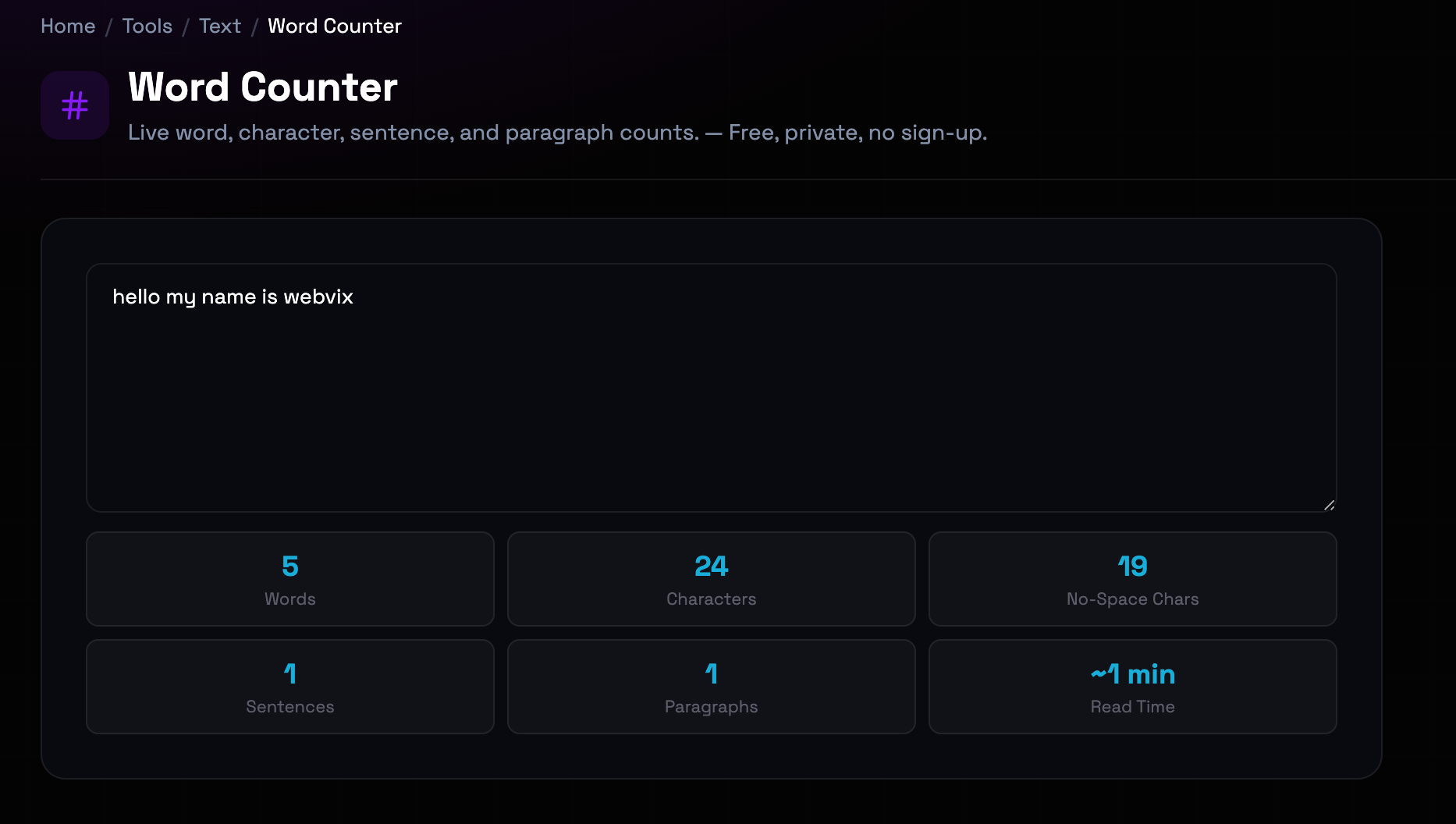
What is the Word Counter?
Word counting goes beyond simple enumeration to provide comprehensive text analysis essential for writers, students, and content creators. Character counts matter for platform limits like Twitter's 280-character constraint. Sentence and paragraph counts reveal text structure and readability. Reading time estimates help content creators plan for audience engagement. Keyword density analysis supports SEO optimization by identifying term frequency. Understanding these metrics enables writers to meet specific requirements, optimize for different platforms, and improve content effectiveness.
Step-by-Step: How to Use It
- Input Your Text: Paste your text directly into the counter, type manually, or upload a text file. The counter processes up to 100,000 characters instantly. (large text input area with paste button)
- View Real-Time Metrics: Watch as word count, character count, sentence count, and paragraph count update automatically as you type or edit. (metric cards showing live counts)
- Analyze Reading Time: Check the estimated reading time based on average adult reading speed (200-250 words per minute). Adjust for your audience if needed. (reading time display with speed indicator)
- Review Keyword Density: Examine the keyword frequency table to see which terms appear most often and their percentage of total word count. (keyword density table with frequency percentages)
Top Use Cases
- Academic Writing Requirements: Students must meet minimum or maximum word counts for essays, papers, and assignments. Word counters ensure compliance with academic guidelines. Example: A 2,000-word essay requirement: the counter shows you're at 1,850 words, indicating you need 150 more words to meet the minimum.
- Social Media Character Limits: Platforms like Twitter, LinkedIn, and Instagram have strict character limits. Counters help craft messages that fit within constraints. Example: Twitter's 280-character limit: your draft is 310 characters. The counter helps you edit down to fit exactly within the limit.
- SEO Content Optimization: Keyword density analysis helps writers ensure target terms appear frequently enough for search engines without keyword stuffing penalties. Example: Targeting 'digital marketing' at 2% density: the counter shows it appears 12 times in a 600-word article (2%—perfect for SEO).
- Content Planning and Pacing: Reading time estimates help bloggers and content creators structure articles appropriately for their audience's attention span. Example: A blog post targeting 5-minute read time needs approximately 1,000-1,250 words. The counter helps you hit this target precisely.
Things to Watch Out For
- Word Count Definition Variations: Different tools define words differently—hyphenated words, numbers, and contractions may be counted inconsistently across platforms. Workaround: Know your specific platform's counting rules. Our counter follows standard linguistic conventions: hyphenated words count as one, contractions as one word.
- Reading Time Individual Variation: Reading time estimates use average speeds (200-250 wpm), but individual reading speeds vary significantly based on complexity and reader proficiency. Workaround: Use estimates as planning guides, not exact predictions. For technical content, assume slower reading speeds (150-200 wpm).
- Keyword Density Over-Optimization: Excessive keyword repetition (above 3-4%) can trigger search engine penalties for keyword stuffing, harming rather than helping SEO. Workaround: Aim for 1-2% keyword density. Focus on natural language and user value rather than mechanical keyword insertion.
- Character Count Including Spaces: Some platforms count characters with spaces, others without. Using the wrong count causes submissions to exceed limits. Workaround: Our counter provides both counts. Check your target platform's specific requirement and use the appropriate metric.
Frequently Asked Questions
How do different word counters define a 'word'?
Word counting definitions vary. Most counters treat any group of characters separated by spaces as a word. Hyphenated words like 'state-of-the-art' may count as one or three words depending on the tool. Numbers like '123' typically count as words. Contractions like 'don't' usually count as one word. Our counter follows standard linguistic conventions: hyphenated compounds are one word, contractions are one word, and any alphanumeric sequence separated by spaces counts as a word.
What's the difference between character count with and without spaces?
Character count with spaces includes every character in your text: letters, numbers, punctuation, spaces, tabs, and line breaks. Character count without spaces counts only letters, numbers, and punctuation—excluding whitespace. Different platforms use different metrics. Twitter counts characters with spaces (280 limit). Some form fields and databases count without spaces. Always check which metric your target platform requires.
How accurate is the reading time estimate?
Reading time estimates are based on average adult reading speeds of 200-250 words per minute for non-technical content. This is a widely accepted industry standard. However, individual reading speeds vary from 150-400 wpm depending on reading proficiency, text complexity, and purpose. Technical or academic content typically reads slower (150-200 wpm). Simple content may read faster (250-300 wpm). Use the estimate as a planning guide, understanding actual reading time will vary by reader.
What is keyword density and why does it matter for SEO?
Keyword density is the percentage of times a target keyword appears in your text relative to total word count. For example, if your keyword appears 10 times in a 500-word article, density is 2%. Search engines use keyword density as one signal to understand content relevance. However, modern SEO prioritizes natural language over mechanical keyword repetition. Aim for 1-2% density for primary keywords. Density above 3-4% risks penalties for keyword stuffing.
Can I use this word counter for academic papers?
Yes, our word counter is ideal for academic writing. It helps ensure papers meet minimum or maximum word count requirements for assignments, essays, and theses. The detailed breakdown shows word count, character count, sentence count, and paragraph count—useful for understanding text structure. However, always verify your institution's specific counting rules, as some may exclude references, citations, or footnotes from the count.
Is there a limit to how much text I can analyze?
Our word counter handles up to 100,000 characters per analysis, which covers most practical use cases from social media posts to book chapters. For longer documents, analyze in sections. The processing happens instantly in your browser regardless of text length. There's no limit on the number of analyses you can perform—analyze as many texts as needed.
Ready to get started?
Access the tool immediately. No sign-up or credit card required.
Open Word Counter