
How to use a Color Picker for HEX, RGB, and HSL codes
Master color picking and code conversion. Learn about color models (HEX, RGB, HSL), color theory basics, and how to use color pickers for web design and development.
What is the Color Picker?
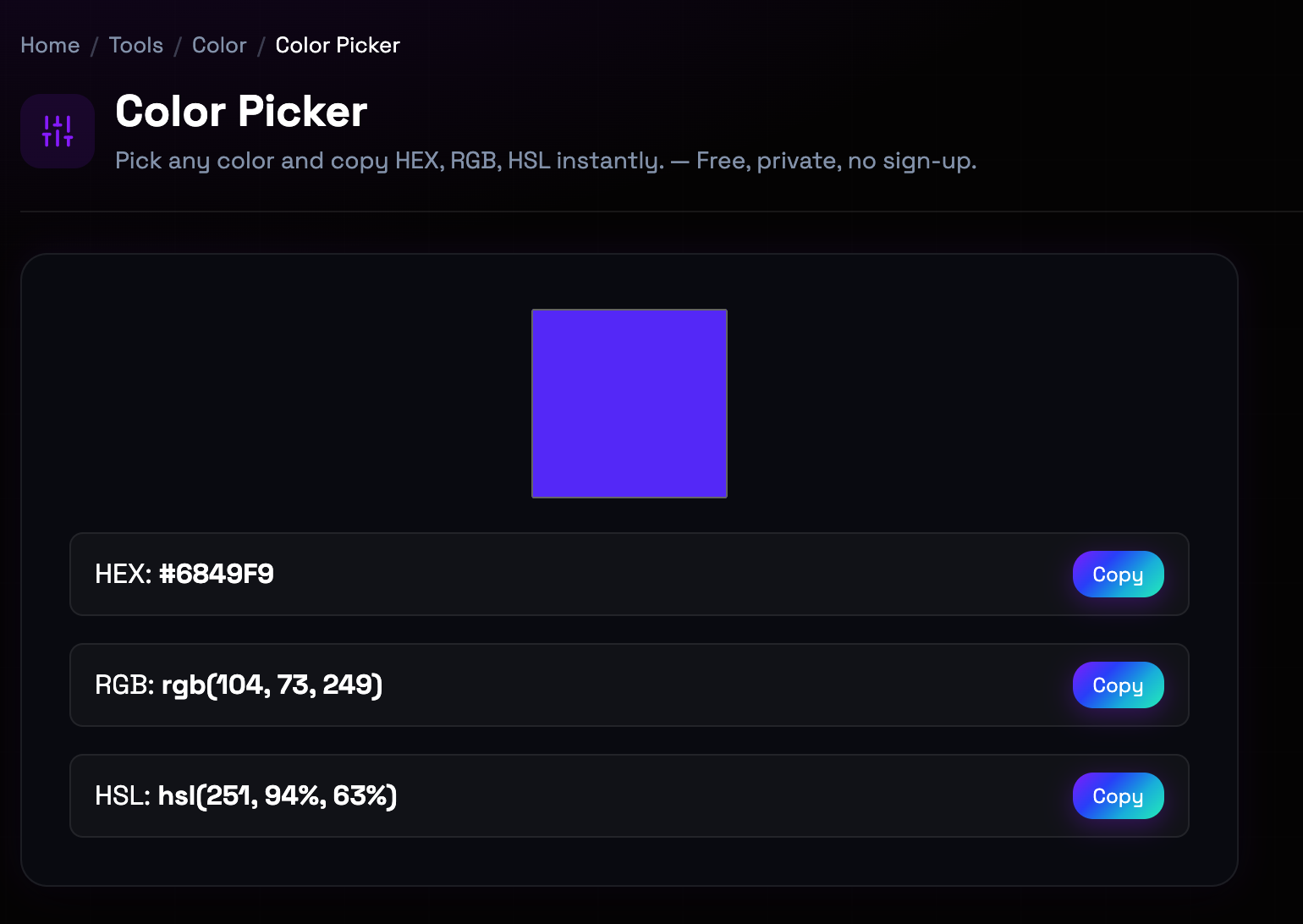
Color pickers bridge the gap between visual color selection and digital color codes used in design and development. Different color models serve different purposes: HEX codes are web-standard shorthand for RGB values, RGB represents colors as red, green, and blue light components, and HSL describes colors in terms of hue, saturation, and lightness—more intuitive for human designers. Understanding these models and how to convert between them is essential for web designers, graphic designers, and developers working with CSS, design software, and digital interfaces. Modern color pickers provide real-time conversion between all major formats.
Step-by-Step: How to Use It
- Select Your Color: Click anywhere in the color picker area or use the color wheel to select your desired color visually. (color picker canvas with color wheel)
- Fine-Tune with Sliders: Adjust hue, saturation, and lightness sliders to precisely modify your selected color. (HSL adjustment sliders with numeric values)
- View All Color Codes: See your color in HEX, RGB, and HSL formats simultaneously. All values update in real-time as you adjust. (color code display cards for each format)
- Copy the Code You Need: Click the copy button next to your desired format to copy the color code to clipboard for use in your project. (copy buttons for each color format)
Top Use Cases
- Web Design and CSS: Designers use color pickers to select colors for websites and copy the HEX codes directly into CSS stylesheets. Example: Designing a brand color palette: pick primary, secondary, and accent colors, copy their HEX values for CSS variables.
- Graphic Design Consistency: Ensure color consistency across design projects by using precise color codes rather than relying on visual memory. Example: Creating social media graphics: use the same HEX codes from your website to maintain brand consistency across platforms.
- Developer Implementation: Developers convert design mockups to code by extracting exact color values from color pickers. Example: Implementing a Figma design: pick colors from the mockup, copy RGB values for React component styling.
- Color Accessibility: Test color combinations for WCAG compliance by picking foreground and background colors and checking contrast. Example: Ensuring text readability: pick text and background colors, use a contrast checker to verify the combination meets accessibility standards.
Things to Watch Out For
- Display Color Variations: Colors appear differently on various displays due to calibration, color profiles, and panel technology. Workaround: Test colors on multiple devices if exact color matching is critical. Use color calibration tools for professional work.
- Color Space Differences: Colors in sRGB (web standard) may not match print colors (CMYK) or wider gamut displays (P3). Workaround: For print projects, work in CMYK color space. For web, stick to sRGB. Be aware of limitations when converting between spaces.
- HEX Case Insensitivity: HEX codes work in uppercase or lowercase (#FF0000 vs #ff0000), but inconsistent casing can affect code readability. Workaround: Choose a convention (typically lowercase for modern codebases) and stick to it for consistency.
- Alpha Channel Support: Standard HEX codes don't support transparency. RGBA or HSLA formats are needed for colors with opacity. Workaround: For transparent colors, use RGBA (rgba(255, 0, 0, 0.5)) or HSLA (hsla(0, 100%, 50%, 0.5)) instead of HEX.
Frequently Asked Questions
What's the difference between HEX, RGB, and HSL color formats?
HEX (hexadecimal) is a 6-digit code representing RGB values in base-16. Example: #FF0000 is red. RGB expresses colors as red, green, and blue values from 0-255. Example: rgb(255, 0, 0) is red. HSL represents colors as hue (0-360 degrees on color wheel), saturation (0-100%), and lightness (0-100%). Example: hsl(0, 100%, 50%) is red. HEX is most common in web development. RGB is intuitive for digital displays. HSL is more intuitive for human designers—adjusting saturation and lightness is easier than tweaking RGB values.
How do I convert between color formats?
Our color picker handles conversion automatically. When you pick a color, it shows HEX, RGB, and HSL simultaneously. To convert manually: HEX to RGB—split the HEX into three pairs (FF, 00, 00), convert each from hex to decimal (255, 0, 0). RGB to HSL requires more complex formulas involving converting RGB to percentages and calculating hue based on which color component is largest. Using a color picker avoids manual conversion errors and saves time.
What color format should I use for CSS?
HEX is most common and widely supported in CSS. Modern CSS also supports RGB and HSL directly. Use HEX (#FF0000) for broad compatibility and brevity. Use RGB (rgb(255, 0, 0)) when you need to work programmatically with color values. Use HSL (hsl(0, 100%, 50%)) when you want to adjust color intuitively—making a color darker is just reducing lightness. For transparency, use RGBA or HSLA with an alpha value (0-1).
How do I pick a color from an existing image or website?
Use our Color Picker from Image tool to extract colors from uploaded images. For picking colors from websites, browser extensions like ColorZilla or built-in browser developer tools can sample colors from any webpage. In Chrome/Firefox, open DevTools (F12), use the eyedropper tool in the color picker to sample colors from the page. This is useful for matching colors from existing designs or websites.
What is the difference between HSL and HSV color models?
HSL (Hue, Saturation, Lightness) and HSV (Hue, Saturation, Value) are similar but differ in how they handle brightness. In HSL, lightness ranges from black (0%) through the color (50%) to white (100%). In HSV, value ranges from black (0%) to the full color (100%). HSL is more intuitive for designers because it matches how we think about making colors lighter or darker. HSV is more common in image editing software. For web design, HSL is generally preferred.
How do I ensure my colors are accessible?
Color accessibility depends on contrast ratios between foreground and background colors. Use a contrast checker tool to verify your color combinations meet WCAG standards: 4.5:1 for normal text, 3:1 for large text, and 3:1 for UI components. Our color picker helps you select colors, and you should then test them with a dedicated contrast checker. Consider color blindness—avoid relying solely on color to convey information. Use patterns, labels, or icons alongside colors.
Ready to get started?
Access the tool immediately. No sign-up or credit card required.
Open Color Picker